Apple
Apple Pencil 1st Generation
Apple Pencil 1st Generation – A Precision Writing Tool for Creativity and Productivity
VAT added at checkout
Category: Accessories (new)
Apple Pencil 1st Generation – A Precision Writing Tool for Creativity and Productivity
The Apple Pencil 1st Generation is a remarkable tool designed to provide an unmatched digital writing, drawing, and editing experience. As a versatile accessory for Apple iPad models, the Apple Pencil has revolutionized the way we interact with technology. Whether you’re a professional artist, a student, or someone who needs to take quick notes, the Apple Pencil 1st Generation enhances the experience by combining precision, responsiveness, and ease of use.
Key Features of the Apple Pencil 1st Generation
The Apple Pencil 1st Generation is designed to work seamlessly with various iPad models. It’s not just a writing tool, but a creative extension of your imagination, perfect for both casual use and professional work. Below are the key features that make the Apple Pencil 1st Generation an indispensable tool:
- High Precision and Sensitivity With its advanced pressure and tilt sensors, the Apple Pencil 1st Generation allows for incredibly precise input. Whether you’re sketching, drawing, or writing, you can apply different levels of pressure to create varied strokes. The pencil can also detect tilt, allowing you to adjust the line thickness naturally.
- Lag-Free Experience One of the standout features of the Apple Pencil 1st Generation is its zero-latency performance. The response time is virtually instantaneous, meaning that your strokes appear exactly as you make them. This results in a natural and seamless writing or drawing experience.
- Long Battery Life The Apple Pencil 1st Generation offers impressive battery life, lasting up to 12 hours on a full charge. Whether you’re using it for a long study session or working on a detailed artwork, you can count on the Apple Pencil to last throughout the day.
- Lightning Connector for Charging The Apple Pencil 1st Generation uses a Lightning connector for easy charging. Simply remove the cap to reveal the Lightning connector, and plug it directly into your iPad’s Lightning port for quick charging. It takes just 15 seconds of charge for an additional 30 minutes of use, making it extremely convenient for those on the go.
- Magnetic Attachment (Not Available) Unlike the Apple Pencil 2nd Generation, the first generation model does not feature magnetic attachment for easy pairing or charging. However, it remains compact and portable, and the included cap ensures that the Lightning connector is protected when not in use.
- Compatible with a Variety of Apps The Apple Pencil works perfectly with a wide range of apps, including Procreate, Notability, GoodNotes, Adobe Illustrator Draw, and more. Whether you’re drawing, annotating PDFs, or writing notes, the Apple Pencil integrates smoothly with apps that allow for pressure-sensitive and precision-based input.
Design and Build Quality
The Apple Pencil 1st Generation is sleek, minimalistic, and comfortable to hold. Its slim profile fits comfortably in the hand, offering a natural grip for extended periods of use. The pencil is entirely white with a glossy finish, and the design is simple and elegant, reflecting Apple’s commitment to both form and function. The only visible button is the flat end, which also serves as the point where the Lightning connector is hidden.
How to Use the Apple Pencil 1st Generation
Using the Apple Pencil 1st Generation is intuitive and simple. It pairs with your iPad through Bluetooth once you connect the Lightning connector to the iPad’s port. After pairing, you can immediately begin using it for drawing, writing, or editing within compatible applications.
Unlike other styluses, the Apple Pencil 1st Generation does not require a battery that needs to be replaced. Simply charge it using your iPad’s Lightning port when needed. It’s that easy!
Compatibility
The Apple Pencil 1st Generation is compatible with the following iPad models:
- iPad (6th, 7th, 8th, and 9th generation)
- iPad Air (3rd generation)
- iPad mini (5th generation)
- iPad Pro 12.9-inch (1st and 2nd generation)
- iPad Pro 9.7-inch and 10.5-inch
Make sure to check if your iPad model is compatible with the Apple Pencil before purchasing.
Pros and Cons of Apple Pencil 1st Generation
Conclusion
The Apple Pencil 1st Generation remains one of the best stylus options for users seeking precision and reliability, especially for those with older iPad models. While it lacks some of the advanced features of the 2nd Generation (such as wireless charging and magnetic attachment), it is still a powerful tool that caters to both casual and professional users. With a focus on natural precision, seamless app integration, and long battery life, the Apple Pencil continues to be a great investment for creative professionals, students, and anyone who uses their iPad for note-taking or drawing.
For more information on the Apple Pencil and other Apple products, you can visit the official Apple website.
By focusing on the key features, benefits, and usage scenarios of the Apple Pencil 1st Generation, this product description is designed to offer thorough insights while also meeting SEO requirements for ranking purposes.
Explore more.
You may also like
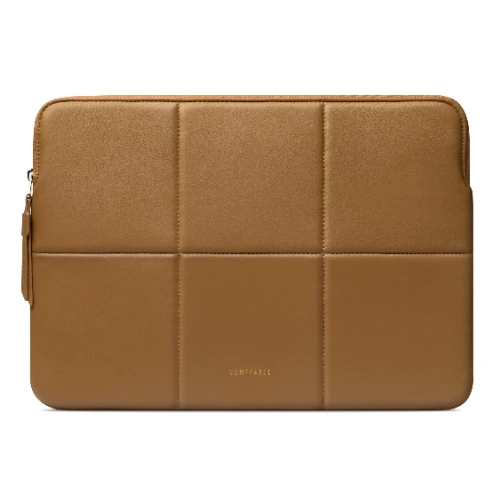
Comfyable
Comfyable Slim Laptop Sleeve 14″ | Premium PU Leather Case, Ultra-Slim Protective Cover, Brown
The Comfyable Slim Laptop Sleeve 14-inch is designed to offer a perfect balance of protection, style, and portability. Made for professionals, students, and everyday users, this sleeve provides reliable protection for your laptop while maintaining a sleek and minimal design ⚡.
From $35+ VAT
From $35+ VAT
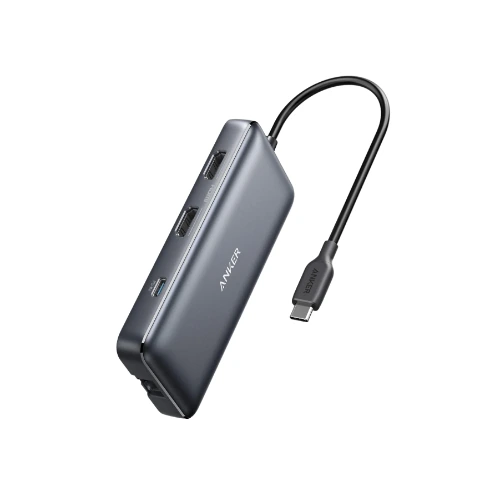
Anker
Anker PowerExpand 8‑in‑1 USB‑C Hub | HDMI, USB 3.0, SD/microSD, Ethernet, PD Charging Multiport Adapter
The Anker PowerExpand 8-in-1 USB-C PD Media Hub is a premium all-in-one solution designed to expand the capabilities of your USB-C device. With a wide range of essential ports, this hub allows you to connect displays, peripherals, and storage devices while maintaining fast charging, making it ideal for professionals, creators, and everyday users ⚡.
From $55+ VAT
From $55+ VAT
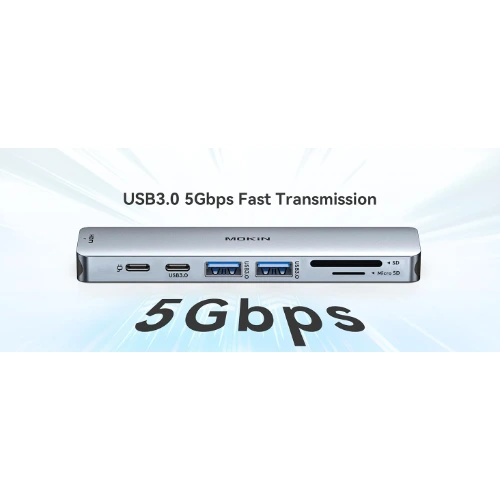
Mokin
Mokin 7‑in‑1 USB‑C Hub | HDMI, 3x USB 3.0, SD/TF Card Reader, USB‑C PD Charging Adapter
The Mokin 7-in-1 USB-C Hub is a versatile and powerful accessory designed to expand the functionality of your laptop, tablet, or USB-C-enabled device. With multiple ports including HDMI, USB 3.0, SD/TF card readers, and USB-C Power Delivery, this adapter provides everything you need to enhance productivity and connectivity in a single compact unit ⚡.
From $37+ VAT
From $37+ VAT
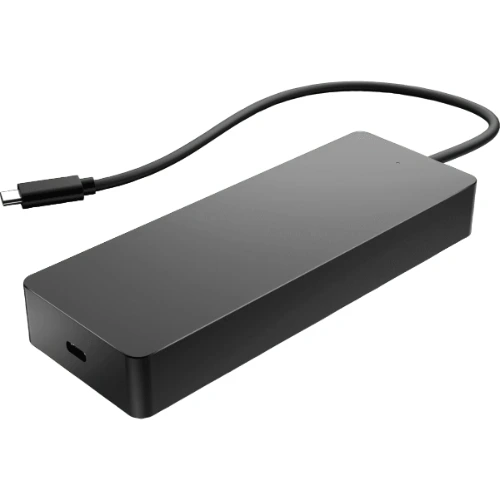
Hp
HP Travel USB‑C Multiport Hub 7‑in‑1 | USB‑A, HDMI, VGA, Ethernet, USB‑C PD Charging Adapter
The HP Travel USB-C Multiport Hub (50H98AA) is a versatile and compact solution designed to expand the connectivity of your USB-C device. With its 7-in-1 functionality, this hub allows you to connect multiple peripherals simultaneously, making it an essential accessory for professionals, travelers, and modern workstations ⚡.
From $120+ VAT
From $120+ VAT